 Itermark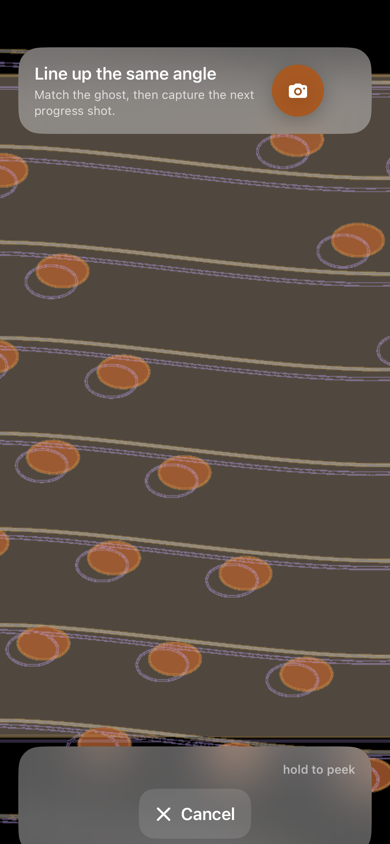
What to align
Start with edges that should not move: a wall corner, wheel arch, shelf line, canvas corner, fence post, or floor seam. Two fixed landmarks are usually more useful than trying to remember the exact position of your feet.
- Choose the previous entry from the same project and view.
- Set the camera height and lens view as close as practical.
- Adjust your position until the fixed landmarks sit on top of the ghost.
- Capture the new photo, then compare any two dated entries in the project.
The sequence above is a text diagram, not a product screenshot. Use a real project view to judge the fit.
Example cadence: Take the next entry when the project reaches a meaningful stage, such as after a repair or a coat. That is a practical example, not a rule.
Pick a landmark that is not the thing you are changing
A landmark has to be three things at once, and most people get the first two right. It must be rigid, so it does not move between sessions. It must be visible at every stage, so it survives the dust sheets and the scaffolding. And it must not be part of the work.
The third is the one that goes wrong. Aligning on the wall you are about to replaster, the panel you are about to fill, or the bed you are about to dig over feels natural — it is the thing you are looking at. Then the stage arrives where that surface is gone, and the reference you built the whole series on is gone with it. Choose the door frame beside the wall, the wheel arch beside the panel, the path edge beside the bed.
The first entry has no ghost to match
The overlay works from the second photograph onwards. The first one is taken blind, and it silently sets the position every later entry has to return to — which makes it the most consequential shot in the project and the one taken with the least thought.
Two things make it recoverable. Stand somewhere you can find again — a floor mark, a tripod leg, the edge of a paving slab — rather than somewhere that merely looked good. And include more of the surroundings than you think you need: you can crop toward the subject later, but you cannot recover a landmark that was never in the frame.
Where the overlay stops helping
Plants grow, cars move, furniture gets repositioned, and light shifts. The ghost can still reveal that the camera moved, but it cannot erase those differences. Keep a note when a project stage required a new view, and compare like with like.
A sketch of the boundary, not a product screenshot. The right-hand panel is aligned perfectly and still not comparable — which is why a note about the conditions is worth more than another attempt at the frame.
Keep the comparison honest
Changing light, moving subjects, and different lenses can still affect a comparison. The ghost is a reference that helps you match framing; it does not make different conditions identical. Choose any two dated entries when you want to inspect a change, then save or share the reveal for free.
Itermark is an iPhone app for iOS 18 or later with no NTL account. Projects and photos are stored locally and, when iCloud is available, supported records and photo data may sync through your private CloudKit database. Anonymous usage counts can be turned off in Settings.